Crossword Jam
PlaySimple GamesWord
4.6106.23K Reviews
- Version
- 1.792.0
- Installs
- 10.00M
- Age Rating
- Everyone
Screenshots
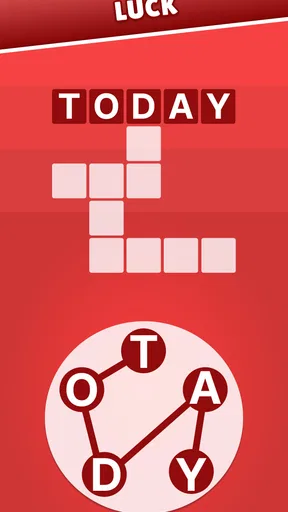
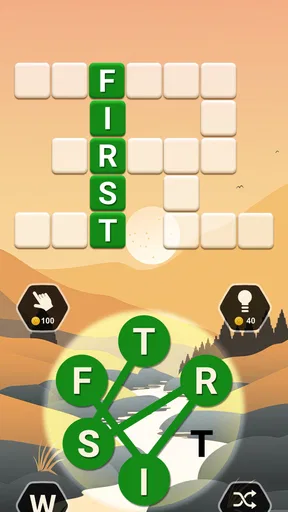
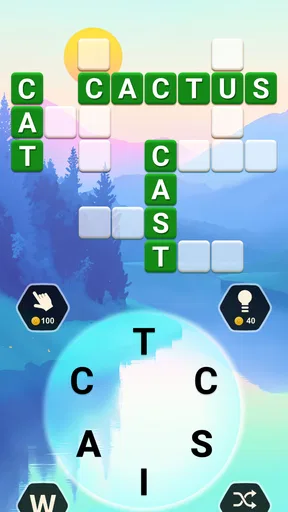
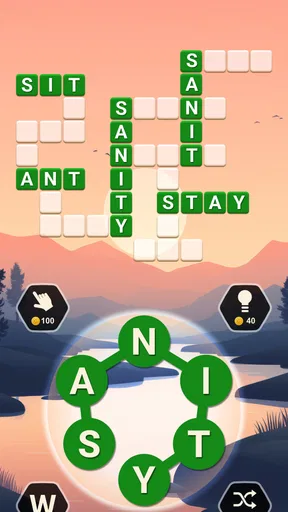
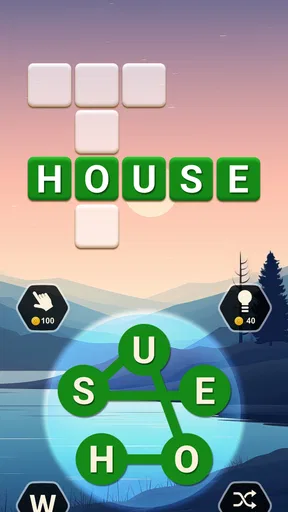
Our Review of Crossword Jam
 Analysis by Appyee
I like word games that let me settle into a puzzle without needing a long tutorial, and Crossword Jam gets to its central idea quickly: make words from a group of letters and fit them into a crossword-shaped grid. That makes it easy to pick up for a short break, while the changing combinations give me a reason to keep thinking after the first few levels. It is a free word game from PlaySimple Games, rated for Everyone, and it has grown into a widely played option, with over 10 million installs.
What you can expect before spending anything
The basic cost is straightforward: you can download and play without paying upfront. There are in-app purchases, with listed prices ranging from $0.99 to $99.99 per item, so the game also offers optional paid purchases. That range is broad enough that I would check the price shown for any specific item before confirming it, rather than assuming every purchase is a small one. The free entry point is the clearest value for someone who wants to try the puzzles first.
I would not treat a purchase as necessary just to find out whether the game suits you. Start by playing at your own pace and see how often you actually want help or extra convenience. If a purchase is connected to an individual item, its value depends on how much you use that item; paying only makes sense when it solves a recurring annoyance for you. The game is free to start, but that does not mean every optional purchase has the same value for every player.
How the puzzles fit into everyday play
I find the short-session format especially useful when I want a small task with a clear stopping point: I can focus on the open spaces, test a word, and leave without needing to remember a long clue trail. A practical habit is to scan the shortest unfinished entries first, since they can help narrow down crossings before I spend a hint. That makes the next part worth considering: how the game’s simple loop handles difficulty and keeps each puzzle moving.
Getting Started with Crossword Jam
First things first, the basic setup is quick, and the interface makes it easy to focus on the puzzle rather than learn a complicated control scheme. Once you open the app, you're greeted with a clean and colorful interface that's pretty easy on the eyes. It's straightforward, which is great because you don't want to deal with any confusion when you're just trying to solve some puzzles. The game was released on September 7, 2017, and its current version is 1.702.2; it requires Android 8.0 or later on Android devices.
That simple start is useful in a very ordinary situation: I can open a puzzle while waiting for a bus or during a quiet gap between tasks, try a few letter combinations, and stop when I need to move on. The format does not demand the same settled, uninterrupted attention as a large crossword. At the same time, it still asks me to look closely at the letters, so it feels more involved than scrolling through a feed while I wait.
The Gameplay Experience
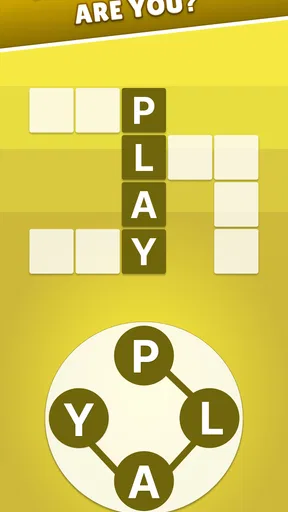
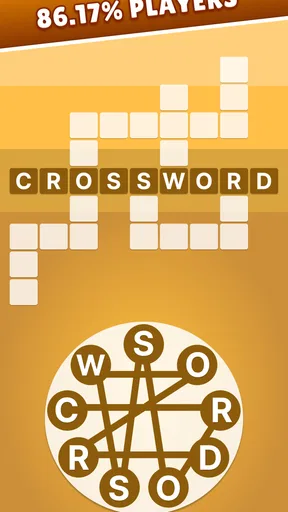
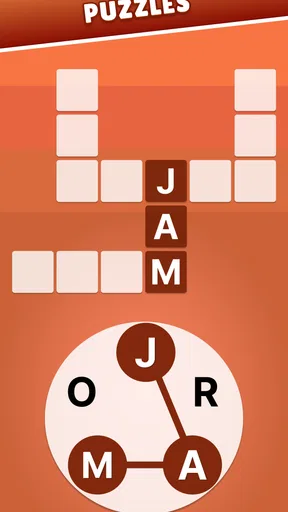
The core concept is all about finding words with a set of given letters. It’s a mix between a crossword puzzle and a word jumble. You swipe letters to form words that fit into the crossword grid. Simple, right? But don't be fooled. As you advance through the levels, the puzzles become more challenging and that's where things get interesting.
The grid gives each answer a place, which helps me distinguish this from a plain anagram game. Instead of merely making any valid word from the available letters, I have to work out which word belongs in the puzzle. When I stall, I find it useful to stop swapping letters randomly and look at the shape of the unfinished entries: their lengths narrow down the possibilities. Then I can test a likely word and see how it connects with the remaining spaces. This small change in approach is more satisfying than tapping for help as soon as I hit a snag.
What I really enjoy is the gradual difficulty increase. It starts off nice and easy, giving you that rewarding "aha!" moment when you complete a puzzle. But soon enough, you'll find yourself scratching your head, wondering how such a simple game can be so tricky.
That difficulty curve makes the game approachable, but it also means the challenge is not identical to that of a traditional newspaper crossword. Crossword Jam is built around a supplied set of letters and a compact grid, so it leans more on spotting combinations and fitting words than on interpreting long clues or drawing on general knowledge. If you want cryptic clues, themed grids, or a large puzzle to work through over several days, a conventional crossword app is likely a better match. If you want quick word-finding sessions with a visible structure, this format has a clear advantage.
Hints, challenges, and the cost of getting stuck
One of the standout features for me is the daily challenges. These are a great way to keep the game fresh and engaging. Plus, completing these challenges rewards you with coins, which you can use for hints. Trust me, you'll want those hints as you get to the higher levels.
I try to save hints for the moments when I have genuinely run out of useful ideas, rather than spending them on a word that I might find after a short pause. A hint is most valuable when one missing answer is blocking progress and the other entries have already given me enough clues to make a sensible guess. If I use help too early, I lose some of the pleasure of discovering the pattern; if I hold it forever, the coins have no practical purpose. That balance is a small but meaningful part of making the game feel rewarding instead of frustrating.
The daily challenge can also work as a natural stopping point. I can play the regular puzzles when I have a spare minute, then use the daily task as a reason to return later without turning the game into a long session. That routine suits people who enjoy a gentle prompt to play, though anyone who prefers to complete a single self-contained puzzle and leave may not care about a daily goal.
Ads, purchases, and the trade-offs
Another aspect I appreciate is the absence of intrusive ads. While there are ads here and there, they are not overwhelming. It's a relief not to have your gameplay interrupted every few seconds. And if you really want an ad-free experience, there's an option to make a purchase, which I think is fair.
That said, the free experience is not completely free of advertising, so players who want uninterrupted play should factor that in before settling on the game. The option to pay may appeal if ads are the main thing spoiling your sessions, but I would not assume that every purchase offers the same benefit or that paying is needed to enjoy the puzzles. The in-app purchase range runs from $0.99 to $99.99 per item; I would review the exact item and its displayed price carefully before buying. For a casual player, trying the free version first is the most sensible way to judge whether the trade-off works.
There is another practical trade-off: hints make hard levels less of a bottleneck, but leaning on them can make the game feel less like a word puzzle and more like a sequence of prompts. I get more value when I give myself a moment to inspect the grid, use the available letters deliberately, and turn to a hint only if I am truly stuck. Players who dislike any friction or expect every level to yield immediately may find the later puzzles less relaxing than the opening ones suggest.
Visuals and Sound
The visuals are vibrant and appealing without being too flashy. It strikes a nice balance that keeps your focus on the puzzles. The background music is calming and not distracting, which is a plus when you're trying to concentrate on piecing words together.
That calm presentation is a good fit for quiet breaks, but the main appeal remains the letter puzzle itself. I would choose this when I want a low-pressure activity that asks for attention without demanding a big commitment. If I am looking for a game driven by a story, action, or elaborate visual spectacle, this is not where I would turn. Its restrained presentation supports the word-solving rather than competing with it.
Who gets the most value from it
Now, let's talk about why you'll love this app. If you're a fan of word games, it is a satisfying way to spend your downtime. It's like a mini mental workout that you can carry in your pocket. Whether you're on a break, commuting, or just lounging at home, it's a great way to pass the time. The game has an average rating of 4.6 from around 426,000 ratings, and it has received around 106,000 written reviews, signs that many players have taken the time to rate and discuss it.
I think it is especially well suited to people who like anagrams but want more direction than a blank jumble gives them. The grid helps organize the task, while the letter set keeps each round focused. It can also be a comfortable choice for a family member who wants a simple word game: its Everyone age rating makes that audience appropriate, though I would still consider whether the player enjoys spelling puzzles and phone games. It is less suitable for someone who wants long-form crosswords, an entirely ad-free experience without paying, or a game with a strong narrative and varied mechanics.
For a realistic everyday routine, I would use it in short bursts rather than plan an evening around it. A few minutes in a waiting room can be enough to make progress, and the next session is easy to pick up when another gap appears. If I am tired, I can stick to a puzzle that feels manageable; if I have more attention to spare, I can work through a tougher set and decide whether a hint is worth using. That flexibility is more useful than a promise of endless play, because it lets the game fit around the day instead of taking it over.
For an alternative, a standard crossword app is a better choice if you enjoy clue-writing, broad vocabulary tests, and filling a larger grid. A simple anagram app may be better if you only want to rearrange letters without the extra task of matching words to spaces. This game sits between those formats: it gives the player a defined set of letters and a crossword-like destination for the answers. That middle ground is its strongest distinction, but it also explains why it will not replace every kind of word puzzle.
Leaderboard and replay habits
For those who are competitive, there's also a leaderboard feature. You can see how you're doing compared to other players, which adds a fun competitive edge to the game. It's satisfying to see your name climb up as you solve more puzzles.
I see the leaderboard as an optional extra rather than the main reason to play. It can give a player who enjoys comparison another small goal, but the core appeal is still the moment-to-moment word solving. If rankings make a casual game feel like homework, it is easy to ignore that side and simply play at your own pace. Likewise, someone looking for a deep multiplayer contest should choose a game designed around direct competition; a leaderboard is not the same thing as playing head-to-head.
My verdict on whether it is worth keeping
All in all, this is a delightful blend of simplicity and challenge. It's a game that can be enjoyed by a wide range of ages, whether you're a seasoned wordsmith or just someone looking for a fun way to unwind. With its intuitive design, engaging gameplay, and ads that do not overwhelm every session, it's worth trying if you enjoy word puzzles. So, if you're ready to flex those mental muscles, give it a try. Who knew a few letters could keep me thinking this long?
My recommendation is to start with the free version and judge it on the way you actually play: whether the letter-and-grid format holds your attention, how often you meet ads, and whether you want to spend coins on hints. The rating of 4.6 reflects a strong reception, but personal fit matters more than a score. If you like quick, focused word sessions, this is an easy game to try; if you want deep crossword clues, no advertising, or richer competitive play, I would skip it in favor of an option built around those priorities.
Privacy and Permissions
See what permissions an app requests and how it handles your data.
- Wi-Fi connection information
- view Wi-Fi connections
- Other
- view network connections, full network access, run at startup, control vibration, prevent device from sleeping, set an alarm, Google Play license check, read Google service configuration
Verdict
Strengths of Crossword Jam
- Engaging puzzles that enhance vocabulary skills.
- Regular updates with new levels and challenges.
- User-friendly interface with smooth navigation.
- Offline play available for on-the-go enjoyment.
- Visually appealing graphics and sound effects.
Limitations of Crossword Jam
- In-app ads can be intrusive at times.
- Limited hints without purchasing additional ones.
- Early levels are too easy for experienced players.
- No option to create custom puzzles.
- Requires internet for some features and updates.
Other Releases by PlaySimple Games
View All


Similar Picks in This Category
View All
Word Search - Word Puzzle Game
Bluetile4.8

Word Search Quest - Puzzles
Blackout Lab4.8

CodyCross: Crossword Puzzles
Fanatee, Inc.4.7

Words of Wonders: Crossword
Fugo Games4.9

Wordscapes: Word puzzle game
PeopleFun4.7

Word Search Explorer
PlaySimple Games4.9
Frequently Asked Questions
What is Crossword Jam and how does it work?
Crossword Jam is a word puzzle game available for both Android and iOS devices. Players are tasked with finding hidden words in a grid of letters, swiping to form words, and completing levels to earn rewards. The game offers various themed puzzles and challenges to enhance vocabulary skills.
Is Crossword Jam free to play, or are there in-app purchases?
Crossword Jam is free to download and play, but it does offer in-app purchases. These purchases can include additional hints or other features to enhance gameplay. While not necessary to enjoy the game, they might be tempting for players looking to progress more quickly through difficult levels.
Can I play Crossword Jam offline, or do I need an internet connection?
Crossword Jam can be played offline, allowing users to enjoy the game without an internet connection. However, certain features, such as accessing new puzzles or purchasing in-app items, may require an online connection. This makes it a great option for playing on the go.
Are there any ads in Crossword Jam, and can they be removed?
Crossword Jam does contain ads, which help support the free version of the game. Players who find the ads intrusive can choose to make an in-app purchase to remove them. This option enhances the gaming experience by providing an uninterrupted gameplay session.
What are the age recommendations for Crossword Jam?
Crossword Jam is suitable for players of all ages, making it a family-friendly game. It encourages vocabulary development and strategic thinking. However, parental guidance may be advised for younger children due to in-app purchases and online features. Always check the app store for specific age ratings.
Play our best games!


